The Problem Most Enterprise Teams Don't See Coming
Your team already uses Slack. They use it for everything - project updates, customer escalations, quick questions that interrupt someone else's deep work. Now imagine that same interface becoming the front end for your company's entire knowledge base, your CRM, your project management system, and your compliance documentation. That's not a future scenario. Australian enterprises are deploying this architecture right now, and the teams that haven't started are already behind on the productivity curve.
The challenge isn't convincing people to adopt AI. The challenge is AI systems integration - connecting intelligent agents to the tools, data sources, and workflows that actually run your business. A standalone chatbot is a novelty. An agent embedded in your operational stack is infrastructure.
What Enterprise AI Agents Actually Are
An enterprise AI agent is a software system that perceives inputs, reasons over them using a language model, and takes actions - calling APIs, querying databases, updating records, or triggering downstream workflows - without requiring a human to orchestrate each step.
This is distinct from a simple chatbot. A chatbot responds. An agent acts. The difference matters because it changes what you can automate and what level of judgement the system can exercise.
In practice, most enterprise agents combine three components:
- A language model (GPT-4o, Claude 3.5, Gemini 1.5, or an open-weight model like Llama 3) for reasoning and language tasks
- A retrieval layer (typically a vector database like Pinecone, Weaviate, or pgvector) for grounding responses in your actual company data
- A tool-use or function-calling layer that lets the agent interact with external systems - Jira, Salesforce, HubSpot, SharePoint, or your internal APIs
The retrieval layer is where most enterprise deployments either succeed or fail. Retrieval-Augmented Generation (RAG) is the technique of pulling relevant documents or data chunks into the model's context window before generating a response. Without it, agents hallucinate. With a well-implemented RAG pipeline, agents answer questions accurately from your internal knowledge base - policies, contracts, product specs, historical project data.
How Slack Becomes an AI Integration Layer
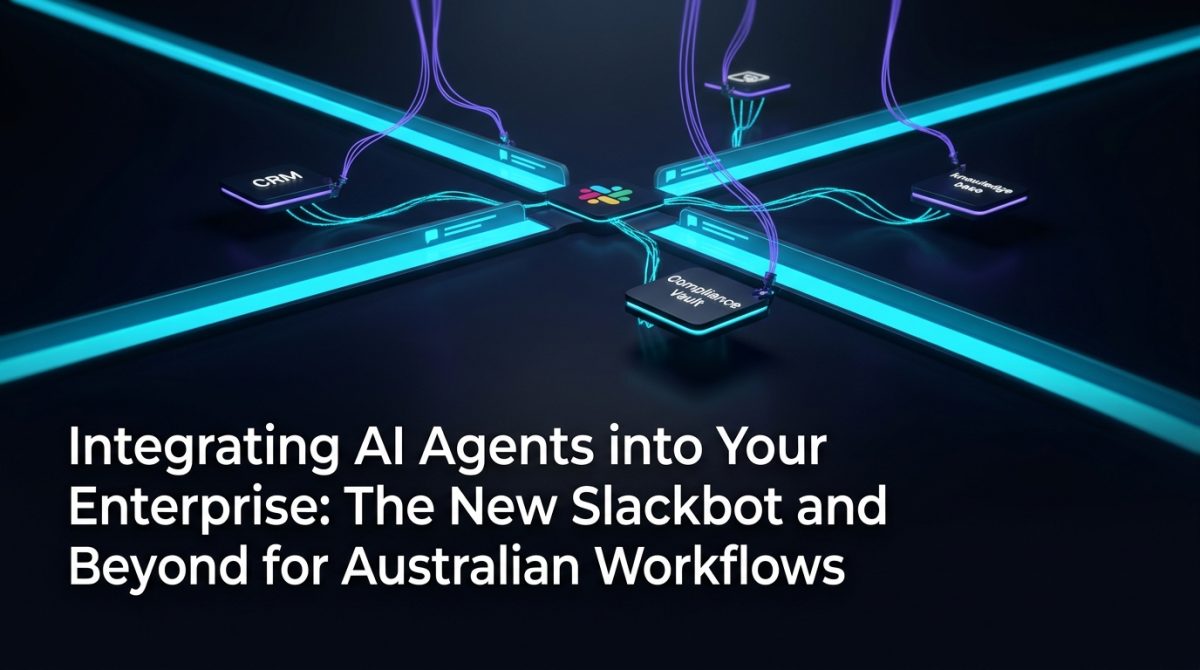
Slack is the right place to start AI systems integration for most Australian enterprises because it's already where decisions happen. Embedding agents there removes the friction of switching tools.
Here's how a production Slack-based agent architecture typically works:
- User sends a message to a dedicated Slack channel or DMs the bot directly
- The Slack Events API captures the message and sends a webhook payload to your backend (a FastAPI or Express server, typically hosted on AWS, GCP, or Azure)
- The backend preprocesses the query - strips formatting, identifies intent, checks user permissions
- The RAG pipeline runs - the query is embedded using a model like
text-embedding-3-small, matched against your vector store, and the top-k relevant chunks are retrieved - The language model generates a response using the retrieved context plus any tool calls needed (e.g. querying your CRM for a specific account)
- The response is posted back to Slack, with source citations if configured
A minimal working example of the webhook handler in Python looks like this:
@app.post("/slack/events")
async def handle_slack_event(request: Request):
    payload = await request.json()
    user_query = payload["event"]["text"]
    user_id = payload["event"]["user"]

    # Retrieve relevant context
    context_chunks = retriever.query(user_query, top_k=5)

    # Generate response with grounded context
    response = llm_client.chat(
        messages=[
            {"role": "system", "content": SYSTEM_PROMPT},
            {"role": "user", "content": f"Context:\n{context_chunks}\n\nQuestion: {user_query}"}
        ]
    )

    slack_client.chat_postMessage(channel=payload["event"]["channel"], text=response)
This is a simplified skeleton - production deployments include rate limiting, async processing via a queue (SQS or Pub/Sub), error handling, and audit logging.
A Practical Example: Procurement Queries at an Australian Manufacturer
A mid-sized Australian manufacturer with 400 staff was spending roughly 12 hours per week across their procurement team answering internal questions: "What's our preferred supplier for X?", "What are the payment terms on the Acme contract?", "Has this vendor been approved under our compliance framework?"
The answer to every one of those questions existed in SharePoint - buried across 6,000 documents, inconsistently named, with no search function that actually worked.
The solution was a Slack-integrated RAG agent built on their existing Microsoft 365 environment. SharePoint documents were ingested nightly into a pgvector database on Azure PostgreSQL. A GPT-4o-based agent handled queries via Slack, with responses grounded in the retrieved document chunks and source links included so staff could verify answers.
Results after 60 days:
- Procurement team self-service rate increased from 30% to 84%
- Average query resolution time dropped from 47 minutes to under 90 seconds
- Zero hallucinated responses in audited sample of 200 queries (attributed to strict retrieval thresholds and source citation requirements)
The integration also connected to their ERP via a read-only API, allowing the agent to surface live supplier status and current purchase order values alongside document-based answers.
This is what mature AI systems integration looks like - not a demo, but a system embedded in daily operations with measurable outcomes.
The Integration Patterns That Actually Work in Australian Enterprises
AI systems integration across Australian enterprises follows a small number of proven patterns. Knowing which pattern fits your situation saves months of rework.
Pattern 1: Read-Only Knowledge Agent The agent retrieves and summarises information. No writes, no workflow triggers. Lowest risk, fastest to deploy. Appropriate for HR policy queries, legal document search, technical documentation.
Pattern 2: Read-Write Workflow Agent The agent retrieves information and updates systems - logging a CRM note, creating a Jira ticket, updating a record. Requires careful permission scoping and audit logging. Appropriate for sales support, IT helpdesk, customer service.
Pattern 3: Autonomous Multi-Step Agent The agent breaks a complex task into steps, executes them sequentially, handles errors, and reports back. Uses frameworks like LangGraph, CrewAI, or Microsoft AutoGen. Appropriate for report generation, data reconciliation, multi-system onboarding workflows.
Australian enterprises with data sovereignty requirements should also evaluate where their vector store and model inference run. For sensitive data, on-premises or Australian-region cloud deployments (AWS ap-southeast-2, Azure australiaeast) are the standard choice.
For organisations building out these capabilities, our AI systems integration services cover architecture design through to production deployment, including compliance with Australian Privacy Act obligations.
Common Failure Modes and How to Avoid Them
Most enterprise AI agent projects that underdeliver fail for one of four reasons:
1. Poor document quality in the knowledge base Garbage in, garbage out applies directly to RAG. If your source documents are inconsistent, outdated, or poorly structured, your agent's answers will reflect that. Before ingestion, run a document audit. Establish a content ownership model so documents stay current.
2. No chunking strategy Splitting documents into 512-token chunks with no overlap and no metadata is the default - and it produces poor retrieval. Production systems use semantic chunking, parent-child chunk relationships, and metadata filtering (document type, date, department) to improve retrieval precision.
3. Missing guardrails Agents without output validation, topic scoping, and escalation paths will eventually produce responses that embarrass the organisation. Implement a moderation layer and define explicit fallback behaviour - "I can't answer that, but here's who can" is a valid and valuable response.
4. No human-in-the-loop for high-stakes actions For any agent action that modifies data or triggers financial processes, build in a confirmation step. A Slack approval button that requires a human to confirm before the agent proceeds costs 10 seconds and prevents a category of errors that would otherwise require incident response.
If you're planning a deployment and want an independent assessment of your architecture before you build, our AI strategy and governance team works with Australian enterprises to structure these decisions correctly from the start.
What to Do Next
If your organisation is ready to move from experimentation to production-grade enterprise AI agents, here's a practical starting sequence:
- Audit your existing data assets - identify the 3-5 knowledge sources that cause the most internal query volume. These are your RAG targets.
- Map your integration points - list the systems your agents will need to read from or write to. Confirm API availability and authentication methods.
- Define your deployment environment - confirm your data sovereignty requirements and select your cloud region and model provider accordingly.
- Start with a read-only agent - deploy a knowledge retrieval agent in Slack against one data source. Measure query volume, accuracy (via user feedback), and time-to-answer. Use this as your baseline.
- Expand incrementally - add data sources, then add write capabilities, then add multi-step automation. Each expansion should have defined success metrics before it goes to production.
- Establish a feedback loop - log every agent interaction, review flagged responses weekly, and retrain or adjust retrieval parameters based on real usage patterns.
The organisations getting the most value from workplace automation aren't the ones who deployed the most sophisticated system first. They're the ones who deployed something real, measured it honestly, and improved it continuously.
If you want to move faster with fewer wrong turns, talk to the team at Exponential Tech. We work with Australian enterprises on exactly this - from architecture to deployment to ongoing optimisation.
Frequently Asked Questions
Q: What is AI systems integration in an enterprise context?
AI systems integration refers to the process of connecting AI agents and language model-based tools to existing enterprise software, databases, and workflows so they can retrieve information, take actions, and automate tasks within real operational environments. It goes beyond standalone AI tools to create AI that functions as a native part of your technology stack.
Q: How does RAG work in a Slack-based enterprise agent?
RAG (Retrieval-Augmented Generation) in a Slack agent works by converting a user's query into a vector embedding, searching a database of pre-indexed company documents for the most relevant content, and passing those document chunks to the language model as context before generating a response. This grounds the agent's answers in your actual company data rather than general training knowledge, which reduces hallucination and improves accuracy for domain-specific queries.
Q: What are the data sovereignty considerations for Australian enterprises deploying AI agents?
Australian enterprises handling personal information under the Privacy Act 1988 must ensure that data processed by AI agents - including query content and retrieved documents - remains within compliant jurisdictions. In practice, this means selecting cloud providers and model inference endpoints that operate within Australian data centre regions (such as AWS ap-southeast-2 or Azure australiaeast), or deploying open-weight models on-premises for the most sensitive workloads.
Q: How long does it take to deploy a production-ready enterprise AI agent?
A focused read-only RAG agent integrated with Slack and a single data source can be deployed in 4-6 weeks for an organisation with clean, accessible data and clear integration requirements. Multi-system agents with write capabilities and complex workflow automation typically require 3-5 months to reach stable production, depending on the number of integration points, data quality, and internal approval processes.