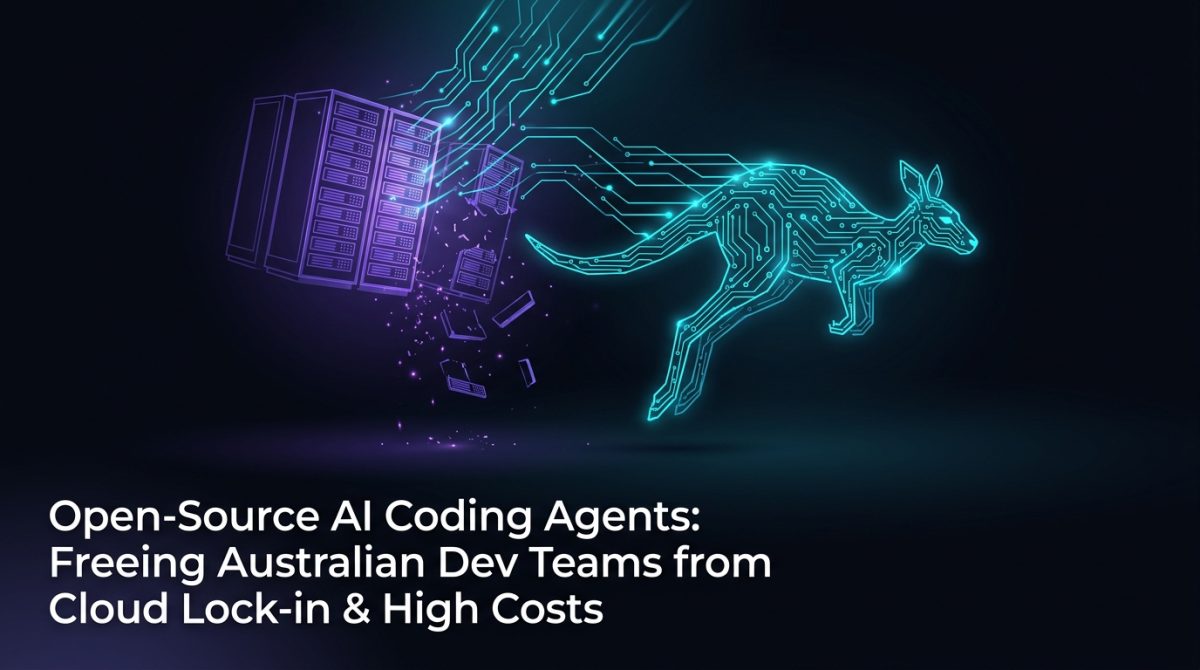
Australian Dev Teams Are Paying Too Much to Write Code They Don't Own
Your developers are spending $50-$150 USD per seat per month on AI coding tools that send your proprietary code to overseas servers, lock you into a single vendor's pricing model, and give you zero control over the underlying model. For a 20-person engineering team, that's $24,000-$36,000 AUD per year - before you factor in data egress costs, compliance risk, or the next pricing increase that arrives with no warning.
The alternative is not going back to writing everything by hand. Open-source AI coding agents running on local infrastructure are production-ready today, and Australian teams that have made the switch are cutting tooling costs by 60-80% while keeping their source code entirely on-premises.
This article covers what open-source AI coding agents actually are, which tools are worth deploying, how to set them up without a research team, and what the real trade-offs look like.
What Open-Source AI Coding Agents Actually Are
An AI coding agent is an autonomous software system that can read, write, refactor, test, and debug code - not just autocomplete a single line. Unlike a basic code completion tool, a coding agent maintains context across an entire codebase, executes multi-step tasks, uses tools like shell commands and file systems, and iterates on its own output until a goal is met.
Open-source AI coding agents are versions of this capability built on publicly available model weights and agent frameworks, deployable on infrastructure you control - your own servers, a private cloud environment, or an on-premises GPU cluster. The key distinction from commercial tools like GitHub Copilot or Cursor is that no code, prompt, or context leaves your network unless you explicitly configure it to do so.
The current production-viable stack includes:
- Models: Qwen2.5-Coder-32B, DeepSeek-Coder-V2, Code Llama 70B, and Mistral's Codestral - all available under open weights licences
- Agent frameworks: Aider, Continue.dev, OpenHands (formerly OpenDevin), and SWE-agent
- Inference servers: Ollama for single-machine setups, vLLM for multi-user deployments, and llama.cpp for CPU-only environments
- IDE integration: Continue.dev integrates directly with VS Code and JetBrains IDEs via a local API endpoint
The combination of a capable local LLM with an agent framework gives you a system that can autonomously complete tasks like "add input validation to all API endpoints in this module" or "write unit tests for the functions in auth/handlers.py with 85% branch coverage."
The Privacy and Compliance Case for Local Deployment
Australian organisations operating under the Privacy Act 1988, state health data legislation, or contracts with government clients face a straightforward problem: sending source code to a US-based AI service creates a cross-border data disclosure event that requires explicit legal justification.
Most commercial AI coding tools process your code on servers in the United States or Europe. Under the Australian Privacy Principles, transferring personal information (which can include code that processes personal data) to an overseas recipient requires either contractual protections or a reasonable belief that the recipient is subject to equivalent privacy obligations. "We accepted the terms of service" is not a defensible position under an APS audit.
Local deployment eliminates this problem entirely. When your AI coding agents run on your own infrastructure:
- Source code never leaves your network boundary
- Model weights are stored on hardware you control
- There is no vendor with access to your prompts or outputs
- Audit logs stay within your own logging infrastructure
For teams working on government contracts, fintech applications, or health technology platforms, this is not a nice-to-have - it is a prerequisite for using AI assistance at all. If your organisation needs to build a broader AI governance framework around these deployments, our AI strategy and governance services provide the policy and technical architecture to do it properly.
How to Deploy a Local AI Coding Agent in Five Steps
Setting up a functional local AI coding agent takes approximately four hours for a single developer workstation and one to two days for a shared team deployment. Here is the practical path.
Step 1: Choose your inference backend based on available hardware
For a single developer machine with an NVIDIA GPU (16GB+ VRAM), use Ollama. Install it with:
curl -fsSL https://ollama.com/install.sh | sh
ollama pull qwen2.5-coder:32b
For a shared team server with 2-4 GPUs, deploy vLLM:
pip install vllm
python -m vllm.entrypoints.openai.api_server \
  --model Qwen/Qwen2.5-Coder-32B-Instruct \
  --tensor-parallel-size 2 \
  --port 8000
Step 2: Install Continue.dev in VS Code
Install the Continue extension from the VS Code marketplace, then configure it to point at your local inference server by editing ~/.continue/config.json:
{
  "models": [{
    "title": "Qwen2.5-Coder Local",
    "provider": "ollama",
    "model": "qwen2.5-coder:32b",
    "apiBase": "http://localhost:11434"
  }]
}
Step 3: Install Aider for autonomous agent tasks
pip install aider-chat
aider --model ollama/qwen2.5-coder:32b --no-auto-commits
Step 4: Configure your codebase context
Add a .aider.conf.yml file to your project root specifying which files the agent should treat as always-in-context (typically core interfaces, data models, and configuration schemas). This prevents the agent from making changes that break established contracts.
Step 5: Test with a bounded task
Start with a task that has a clear success criterion - "write a pytest suite for src/utils/validators.py that achieves 90% line coverage" - before moving to open-ended refactoring work. Measure output quality against your existing test suite before trusting the agent with production code paths.
Real-World Performance: What to Expect
A mid-sized Australian SaaS company with a 12-person engineering team migrated from GitHub Copilot to a self-hosted Qwen2.5-Coder-32B deployment running on two NVIDIA A100 40GB GPUs. Their outcomes after 90 days:
- Tooling cost: Reduced from $2,160 AUD/month to $380 AUD/month (hardware amortisation and electricity), a saving of 82%
- Developer velocity: Time to complete routine tasks (writing CRUD endpoints, generating migration scripts, adding test coverage) dropped by approximately 35%
- Code review load: The volume of trivial review comments (missing docstrings, inconsistent error handling, missing type hints) dropped by 60% because the agent applied their style guide automatically
- Compliance: The team passed a SOC 2 Type II audit without any findings related to AI tooling, because all model inference occurred within their AWS Sydney VPC
The trade-off was real: initial setup required two days of a senior engineer's time, and the local model's performance on complex algorithmic reasoning was noticeably weaker than GPT-4o on approximately 15% of tasks. Their solution was to route those specific tasks - architecture-level design questions and complex debugging - to a separate, sandboxed environment with a commercial model, while keeping all routine coding work local.
Combining AI Coding Agents with Broader Automation
AI coding agents become significantly more powerful when they are part of a larger automation pipeline rather than a standalone tool. The most productive deployments connect the coding agent to:
- CI/CD pipelines: The agent automatically generates or updates tests when a pull request modifies a function signature
- Issue trackers: A GitHub Actions workflow triggers the agent to attempt a fix when an issue is labelled
agent-attempt, committing the result to a draft PR - Documentation systems: The agent updates API documentation in a docs-as-code repository whenever a public interface changes
Building these integrations requires treating open-source AI tools as components in a system rather than drop-in replacements for a SaaS subscription. If your team needs help designing these pipelines, our AI automation services cover the full architecture from model selection through to production deployment.
For teams that also want to give their coding agents access to internal knowledge - architecture decision records, API specifications, internal libraries - a RAG (retrieval-augmented generation) layer on top of the local model is the right approach. The agent queries a vector store of your internal documentation before generating code, which dramatically reduces hallucinated function names and incorrect API usage.
What to Do Next
If you are running a commercial AI coding tool and paying per seat, run this calculation first: multiply your seat count by your monthly cost, then multiply by 12. If that number exceeds $10,000 AUD, a local deployment almost certainly pays for itself within six months on hardware costs alone - before accounting for compliance risk reduction.
Practical starting points:
-
Proof of concept (this week): Install Ollama on a developer workstation with a discrete GPU. Pull
qwen2.5-coder:14b(the 14B model runs on 16GB VRAM) and install Continue.dev. Spend two hours on tasks your team does every day and measure output quality honestly. -
Team pilot (next month): Deploy vLLM on a shared GPU instance in your existing cloud account in ap-southeast-2 (Sydney). Run a four-week pilot with three to five developers. Track task completion time, code review turnaround, and test coverage changes.
-
Production deployment (90-day horizon): Based on pilot results, design the full deployment including CI/CD integration, context management, and a policy for which tasks stay local versus which use a commercial model fallback.
If you want an independent assessment of which open-source AI tools fit your team's stack, risk profile, and budget, our team at Exponential Tech works with Australian engineering organisations on exactly this kind of evaluation. We don't sell software licences - we help you build infrastructure you own.
Frequently Asked Questions
Q: What are AI coding agents and how do they differ from code completion tools?
AI coding agents are autonomous software systems that can read, write, refactor, test, and debug code across an entire codebase, executing multi-step tasks without human input at each step. Code completion tools like basic Copilot features suggest the next line or block of code in context; coding agents plan and execute sequences of file edits, shell commands, and test runs to achieve a defined goal.
Q: Can local LLMs match the code quality of GPT-4o or Claude for everyday development tasks?
For routine development tasks - CRUD operations, test generation, documentation, refactoring to a style guide, and migration scripts - models like Qwen2.5-Coder-32B produce output that is comparable to GPT-4o in approximately 85% of cases. The gap is most noticeable in complex algorithmic reasoning and novel architecture design, where commercial frontier models retain a measurable advantage.
Q: Is running AI coding agents locally compliant with Australian privacy law?
Running AI coding agents on local infrastructure is the most defensible position under the Australian Privacy Act 1988 because no data crosses a network boundary to an overseas recipient. Organisations must still implement appropriate access controls, audit logging, and data handling policies for the local deployment itself - local does not automatically mean compliant, but it removes the cross-border transfer risk entirely.
Q: What hardware does a team need to run open-source AI coding tools effectively?
A single developer workstation with an NVIDIA GPU with 16GB or more of VRAM runs 14B parameter models effectively using Ollama. For a shared team deployment serving 5-15 concurrent developers, two NVIDIA A100 40GB or H100 80GB GPUs running vLLM provide adequate throughput. Teams without GPU hardware can use CPU-only inference via llama.cpp with smaller models (7B-14B), accepting slower generation speeds of approximately 5-15 tokens per second.